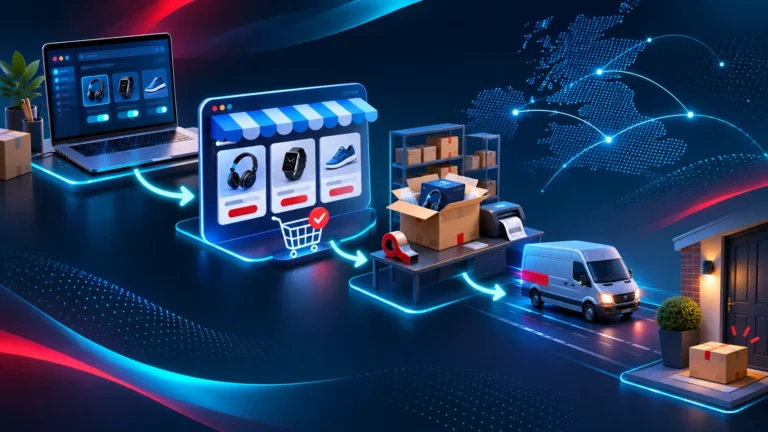
Shopify Integrations: 7 Powerful Ways to Automate Your Store
Learn how to choose and plan Shopify integrations for products, inventory, orders, shipping, marketing and multichannel selling.
Shopify integrations: A Shopify store can launch quickly, but growth introduces more systems to manage. Products live in the store, orders move through fulfilment, customers receive messages, inventory changes across channels and marketing tools need reliable events. The right Shopify integrations help those systems work together instead of forcing your team to copy information manually.

What Shopify Integrations Can Connect
The best Shopify integrations connect the systems that matter most to your operating model without creating unnecessary data duplication.
Depending on your operating model, Shopify integrations can connect payment tools, accounting, shipping, fulfilment, marketplaces, customer-service platforms, email marketing, analytics, inventory systems and custom business software.
The goal is not to connect everything immediately. The goal is to remove the most expensive manual steps while preserving clear ownership of your data.
Start with the store’s source of truth
Before choosing an app or building a custom connection, decide where each important piece of information should be maintained. Shopify may be the source of truth for products and orders, while an inventory or enterprise resource planning system may own stock. A fulfilment platform may own shipment status, and an email platform may own campaign activity.
Write those decisions down. Otherwise, two systems may update the same field in different ways and create silent conflicts.
The most useful Shopify integration areas
Products and inventory
Product integrations should account for titles, descriptions, images, variants, prices, stock, locations and product status. Inventory work becomes more complex when the store sells through marketplaces, physical locations or multiple fulfilment centres.
Use a consistent SKU strategy and define how safety stock, bundles, returns and manual adjustments are handled.
Orders and fulfilment
Order automation should define what happens after an order is paid, cancelled, partially fulfilled or returned. Map order status, payment status, fulfilment status, tracking and customer notifications before switching on automation.

Shipping and tracking
Shipping integrations can connect rates, labels, carriers, tracking and delivery notifications. Confirm which system creates the label and which system sends the customer-facing update. Include an exception path for failed labels, split orders, address problems and delayed tracking events.
Marketing and analytics
Marketing integrations should send useful, permission-aware events such as product views, purchases, abandoned checkouts and customer segments. Analytics should distinguish between an event being sent and an event being processed correctly.
Multichannel selling
When the same products appear on an owned store, marketplace or social channel, the catalogue and inventory rules need to be deliberate. Decide which channel can change a product, how stock is reserved and what happens when one channel rejects an update.

Shopify’s official API and app model
Shopify’s official GraphQL Admin API documentation describes the Admin API as a way to build apps and integrations that extend Shopify admin. The documentation covers products, orders, inventory, shipping, fulfilment, webhooks and access scopes.
Use the narrowest access scopes required for the workflow. Protect access tokens, keep credentials out of theme code and log failures without exposing customer or payment data.
Choosing Shopify Integrations: App or Custom Build?
A maintained app can be a good fit when the workflow is standard, the supported fields are sufficient and the vendor provides reliable updates and support. Custom development becomes more attractive when the business has unusual approval rules, complex inventory, multiple systems, non-standard fulfilment or a need for full control over error handling.
Evaluate the total operating cost: subscription fees, configuration, data coverage, rate limits, support, maintenance, security and the time staff spend correcting errors.
A safer Shopify integration rollout
- Map the current systems and manual work.
- Choose one measurable workflow for the first release.
- Define field ownership and transformation rules.
- Test with controlled products and orders.
- Monitor failures, retries and duplicate events.
- Expand only after the first workflow is stable.
How AETRIXA can help
AETRIXA can help with Shopify store strategy, custom connections, e-commerce UX, technical SEO, performance and ongoing support. Our e-commerce development service is a useful starting point when your store needs more than a collection of disconnected apps.
Conclusion
The best Shopify integrations are not the ones that connect the most tools. They are the ones that make important business information accurate, timely and easy to act on. Start with the most expensive manual process, define ownership, test failure scenarios and build from a stable foundation.